It's the real claude
The official CLI you installed and signed in to, on your own Pro or Max plan. No model of its own, no fork.
Shellby isn't a smarter Claude. It's everything you'd otherwise build around Claude Code yourself, already built, plus a crab.
claudeThe official CLI you installed and signed in to, on your own Pro or Max plan. No model of its own, no fork.
Your skills, agents, hooks, MCP servers, CLAUDE.md files and permission rules carry over, and anything you set up in Shellby works in your terminal too.
Parallel work, undo, review, scheduling and alerts, so you don't have to script them yourself.
Each row is something people end up scripting around the CLI. On the left, what Shellby does. On the right, what you'd do instead.
Every tab can get its own copy of the project on its own branch. Bring it home merges it back, never force-pushes, and stops cleanly if it would clash.
Making a worktree, opening another terminal, remembering to merge and clean up.
⑂ Branch from any turn, compare the tries file by file, then click Keep this one.
Resuming the session twice, tracking which is which, diffing by hand.
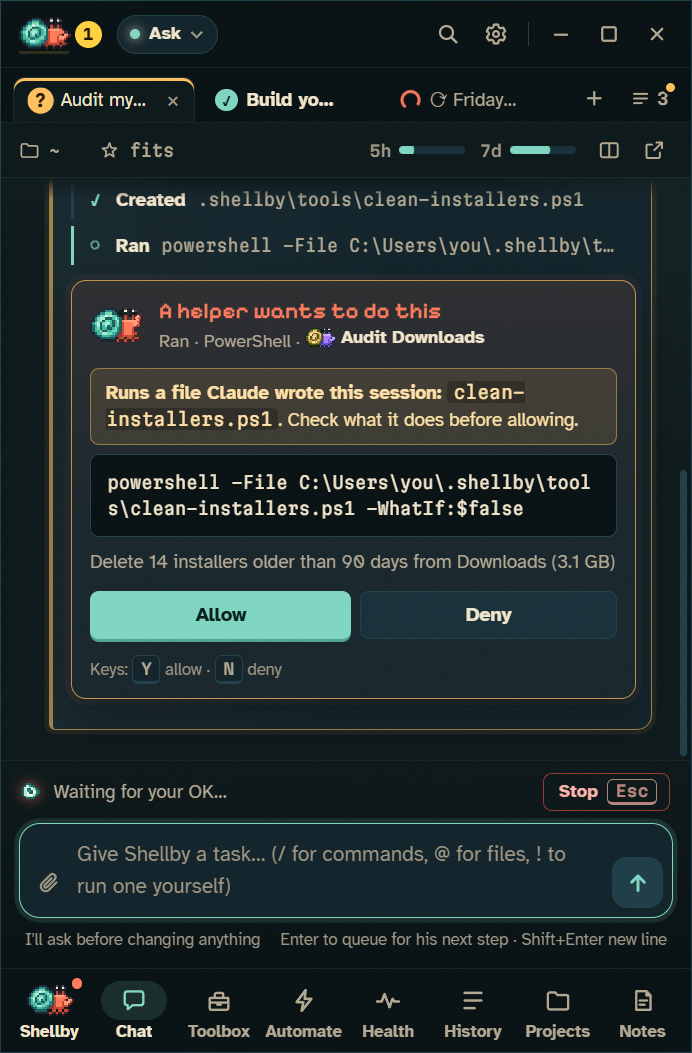
Each helper gets its own lane (task, activity, tools, tokens, time) and its own crab on your desktop. Permission cards tell you which helper is asking.
Scrolling the transcript.
Every turn ends with a list of the files it changed. Undo puts them back, including whatever a script or npm install did, and refuses if you've edited them since.
git diff, git stash, and hoping nothing else touched the tree.
Click line numbers in the diff, leave comments across files and turns, and send them all as one follow-up that quotes the code.
Pasting code into a message and describing where it is.
Queue heavy work on Routines. It starts at the reset, keeps the PC awake, picks up after the next reset if it runs out, and tells your phone.
Setting an alarm, or a scheduled task wrapping claude -p.
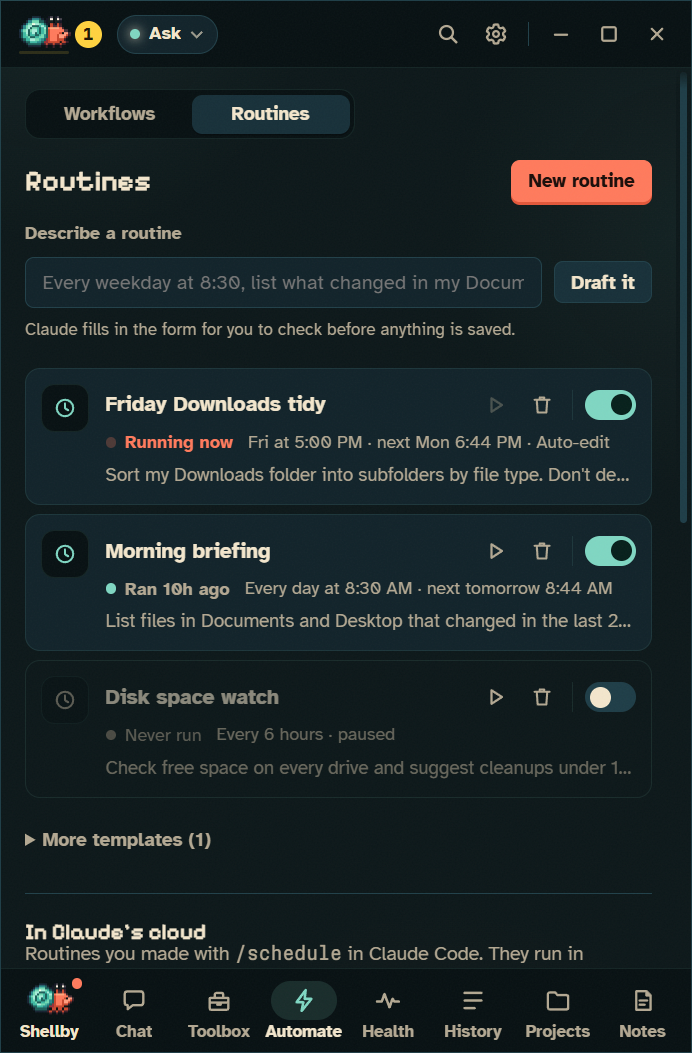
A routine is one instruction on a clock: “every weekday at 8:30, list what changed in my Documents”. Each run opens in its own tab, and you get a notification if it needs you.
Task Scheduler, a .bat file, and checking a log the next morning.
Workflows pair a trigger with a list of steps: Claude, PowerShell, web requests, a question for you, a message to your phone. Steps pass data along, so “find out why it failed” can decide whether the next step fixes it or tells you.
Writing the watcher, the script and the notifier yourself.
Type what should happen and when, press Draft it, and Claude fills in the routine or lays out the workflow for you to check. Let Claude test it runs a new routine once and fixes it if the run goes wrong. Nothing is saved until you press Save.
Learning a YAML format, or a cron expression.
Assign yourself an issue, or label it shellby, and he offers to take a crack at it. Say yes and Claude works on its own branch, runs the tests, and opens a draft PR that closes the issue.
Copying the issue into a prompt, then branching, pushing and opening the PR by hand.
The spending guard stops routines and workflows before they reach the share of your 5-hour window you keep for yourself. Anything that can act without asking shows what it may do before you save it.
Finding out at lunchtime that a script used up your morning.
He raises a claw on your desktop, or your phone buzzes, and you can answer Allow or Deny right there.
Keeping one eye on the terminal.
Skills, hooks, MCP servers, rules and CLAUDE.md each get an editor. Anything that lets Claude do more asks first in an isolated window, with a backup.
Editing JSON and Markdown in five places.
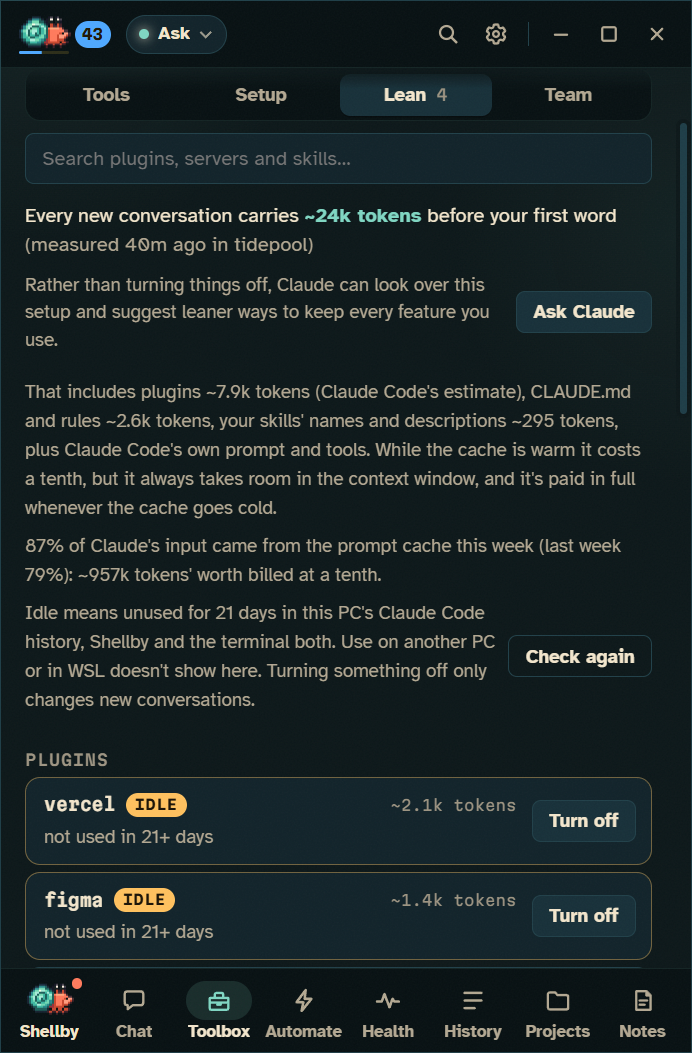
Toolbox → Lean measures it, prices each plugin, and flags plugins that have sat idle for 21 days, with an undoable Turn off.
Reading every plugin's manifest and guessing.
Toolbox → Team saves snippets, workflows, hooks and rules to .shellby/team.json. Nothing in it runs on its own.
A README section nobody follows.
Before every push he makes, he scans the commits for keys, tokens and files like .env, and asks first.
A pre-commit hook, if you remembered to set one up.
Shellby doesn't talk to any AI API itself. Each conversation is one long-lived Claude Code process that you signed in to yourself, driven over the same stream-json host protocol the Claude Agent SDK uses.
As JSON user messages. One process holds the whole conversation, so follow-ups keep context.
As can_use_tool requests, and Shellby answers allow or deny with what you chose. Claude Code enforces the permissions; Shellby only relays your answer.
You log in to the official, unmodified CLI yourself. Shellby only reads claude auth status to show which account and plan it's on. Usage counts against your plan's normal limits, exactly as if you'd typed the task into a terminal.
If ANTHROPIC_API_KEY or another provider is set on your PC, Settings warns that Claude Code may bill that instead, and Always use my Claude plan leaves them out.
> claude -p --input-format stream-json \
    --output-format stream-json --verbose \
    --permission-prompt-tool stdio \
    --replay-user-messages \
    --permission-mode <mode> \
    --allow-dangerously-skip-permissions \
    [--resume <id>]
A nightly check runs the newest Claude Code release against every flag and the protocol, so a CLI change is caught early. The full protocol is in DEVELOPMENT.md.
Shellby never sees your Claude sign-in, and usage counts against your plan's normal limits. Every window is sandboxed, and the main process checks every call it gets. The local port for the shellby command and the plugin only accepts connections from this PC. How he's kept safe →
With the Shellby plugin, he reacts to Claude Code sessions in your editor and terminal: he scuttles while Claude works, raises a claw when it needs permission, and sends out helper crabs for subagents. Add the status line and he sits right under the prompt.
> /plugin marketplace add x-salmon/shellby
> /plugin install shellby@shellby
> shellby do "write tests for src/app.js"
Most people use both: the editor for focused work on the file in front of them, and Shellby for the parallel, long-running and scheduled work they'd rather not babysit.
Shellby is Windows 10 and 11 only.
The official IDE extensions show changes in the file you're editing. Shellby's diff view is great for reviewing a whole turn, but it isn't your editor.
claude -p is the right tool there.
Shellby drives the CLI, so new features reach the terminal first. Now and then a CLI change needs a Shellby update to catch up; a nightly check against the newest release catches those early.
Shellby is an Electron app with a desktop layer. With the panel closed he idles at about 2% of one core and around 500 MB (the numbers).
Your plan. Shellby never sees your Claude sign-in. If ANTHROPIC_API_KEY or another provider is set on your PC, Settings warns that Claude Code may bill that instead, and Always use my Claude plan leaves them out.
Shellby automates the official Claude Code CLI you installed and signed in to yourself, and your use falls under Anthropic's terms. It's an independent project, not affiliated with or endorsed by Anthropic.
Nothing goes to Shellby: it has no servers and no telemetry. The privacy policy lists every connection.
As much as you choose. There are five permission modes, from Ask first up to a fenced-off Autonomous mode that's never the default and can't be reached from a terminal. Your own allow and deny rules apply in every mode. The five modes →
All of it, under the GPL-3.0. Start with How Shellby drives Claude Code.
Free for Windows 10 and 11, on the plan you already have. Your setup comes with you.