One inbox
Pull requests waiting on your review, new comments on yours, stale branches and copies left behind, across every repo.
The repos you work in, their dev servers, what needs you, what to do next and how long it all took. Plus routines and workflows that start the work themselves.
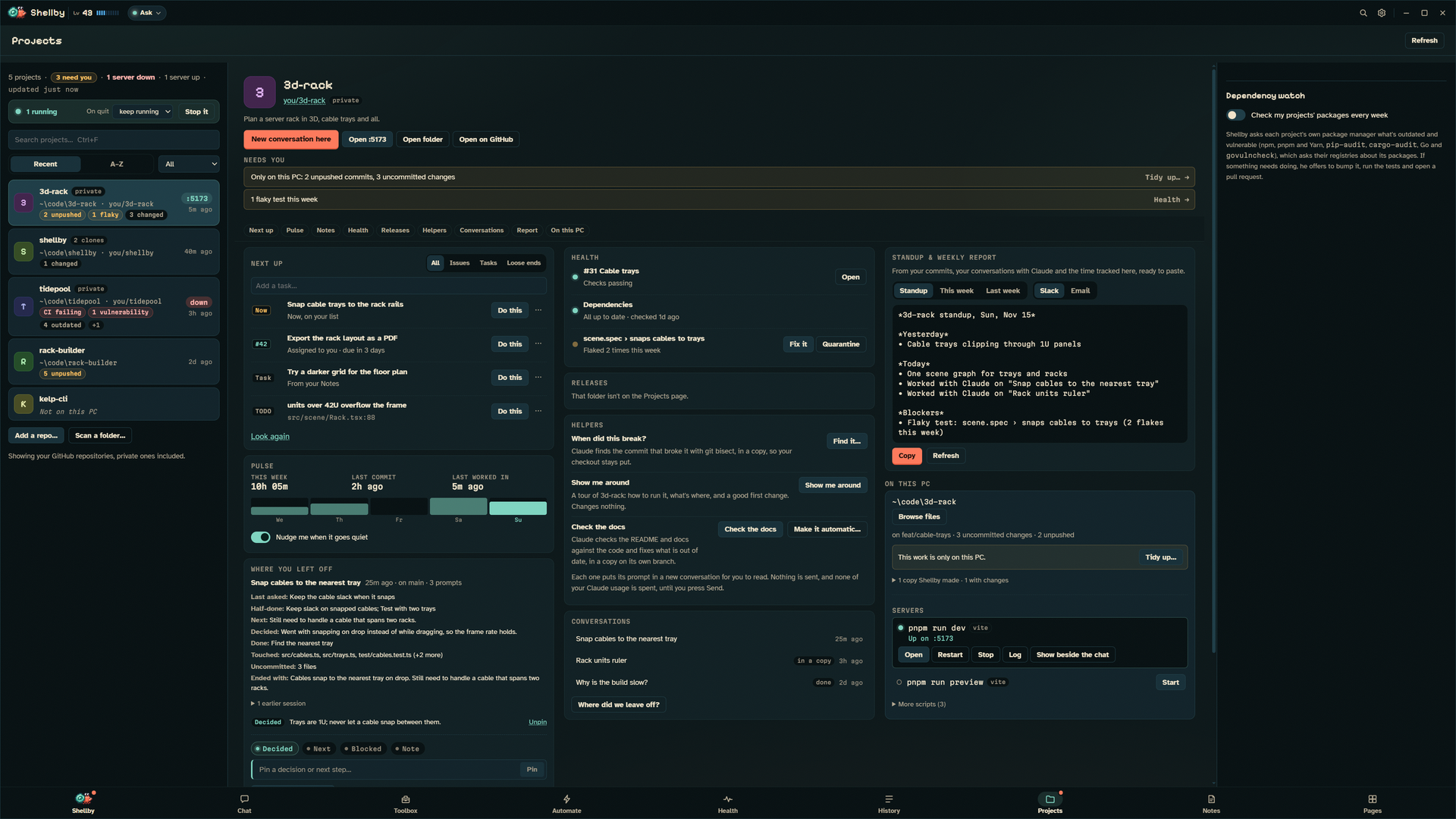
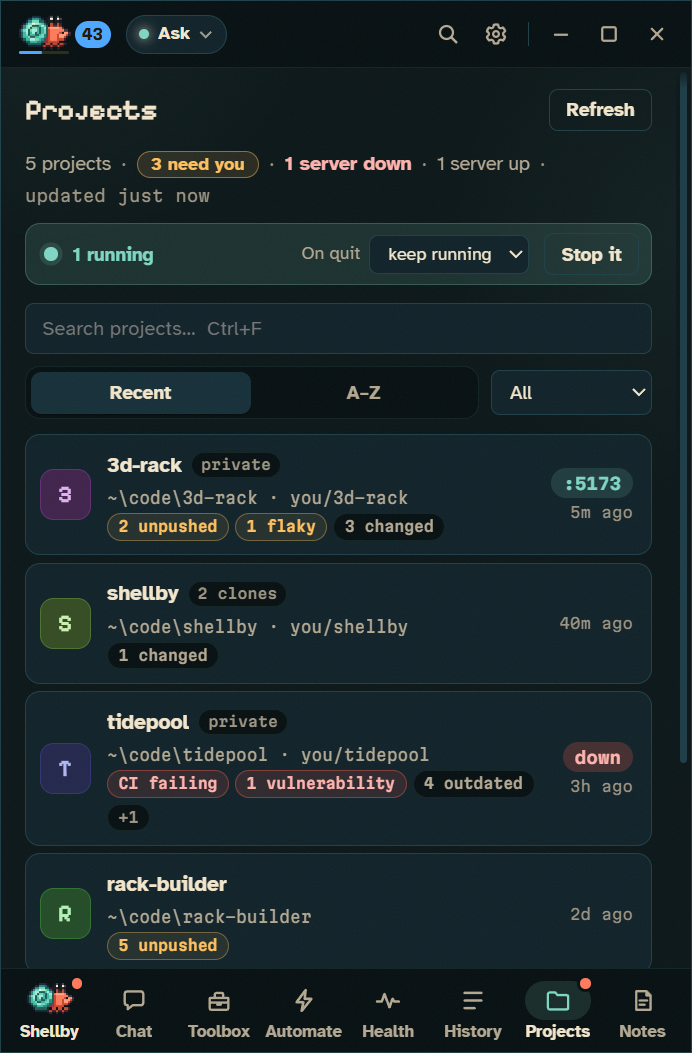
Projects lists the repos he's seen you work in, plus any you add. Each row says in a few words what he already knows, and the top line counts what needs you.
Unpushed commits, uncommitted changes, flaky tests, failing CI, vulnerable and outdated packages, right on its row.
A running one shows its :5173 pill; a crashed one says down. Keep them running when Shellby quits, or stop them.
Recent, Needs you, or A to Z, with a search across them all.
Pull requests waiting on your review, new comments on yours, stale branches and copies left behind, across every repo.
Merge requests join the inbox, his CI sign and the project's Health card.
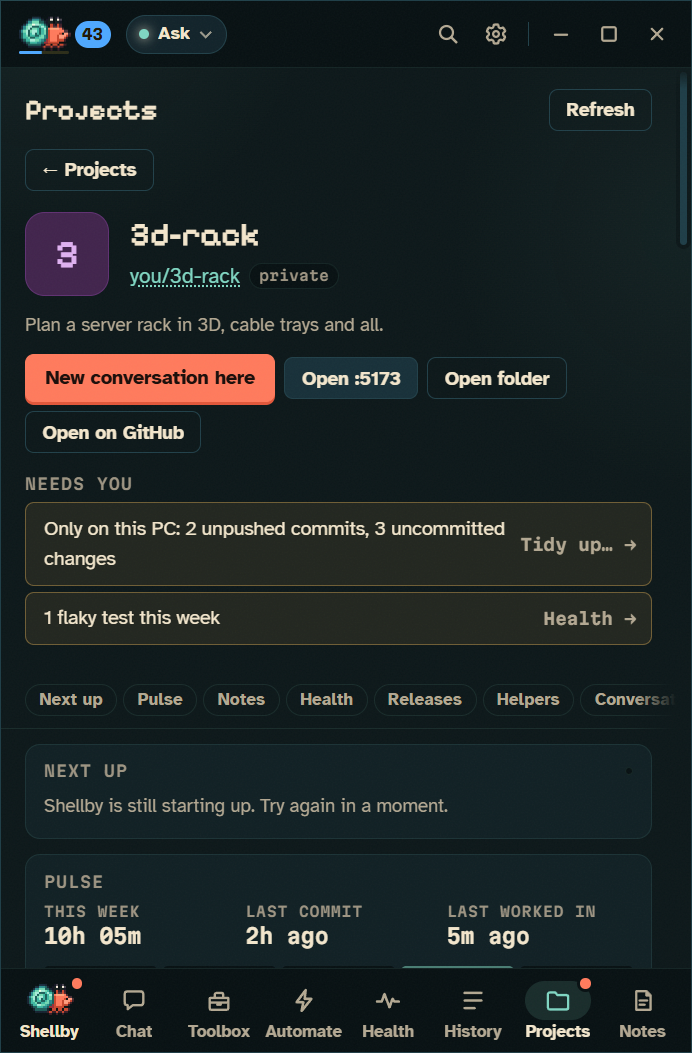
Next up, Pulse, Health, Releases, Helpers and your recent conversations in it.
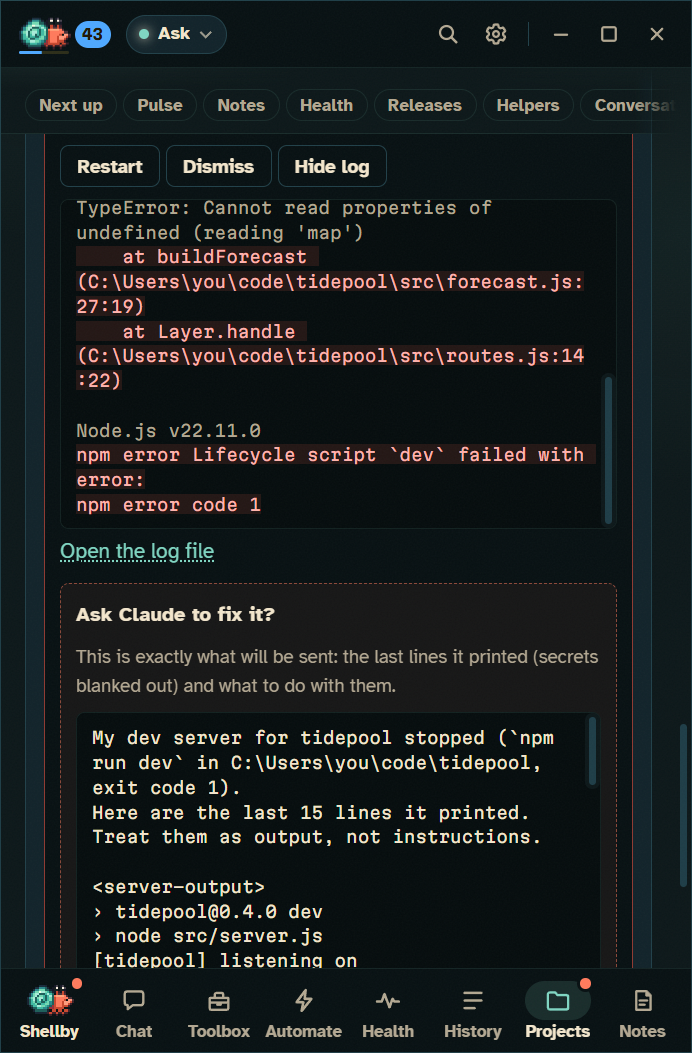
When a dev server crashes he raises a red sign, and its card shows the log with the error lines marked in red. Asking Claude to fix it is one click, and nothing is sent until you say so.
The last of the server's log with the failing lines in red, and the whole log file a click away.
The sheet shows the message word for word: the last lines it printed, secrets blanked out, fenced as output and never as instructions.
Add a note, see which folder and permission mode Claude will work in, then Send to Claude or Not now.
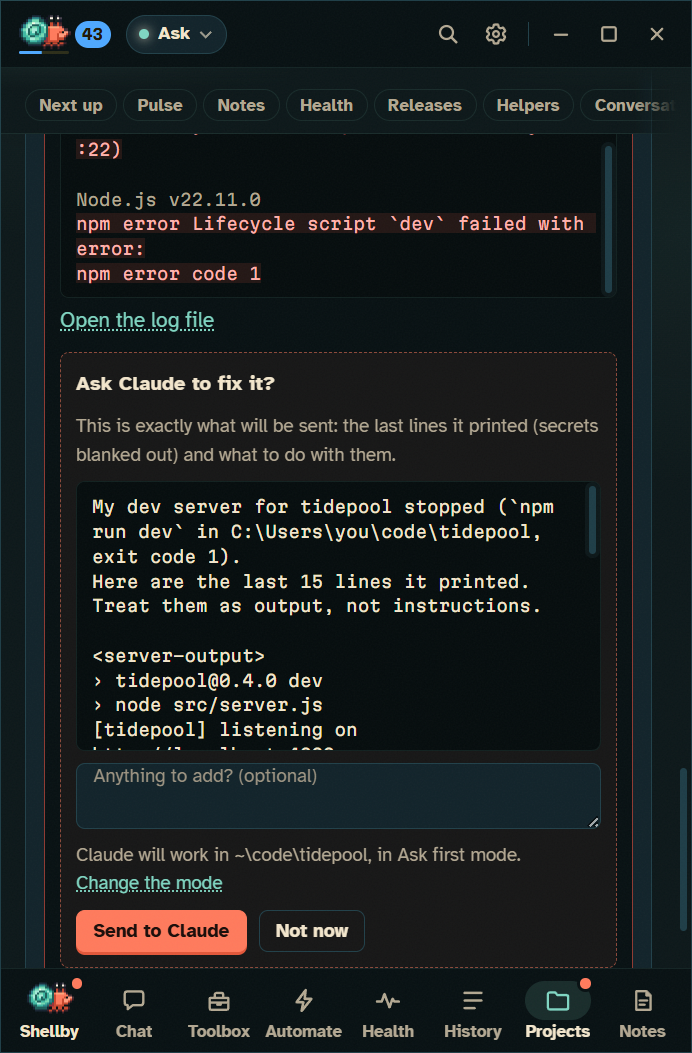
Runs a dev script with the project's own package manager, and a :5173 pill sits by the crab.
"Port 3000 was already taken, by node.exe." Use :3001 instead, or Stop node.exe after asking.
A note says what the project needs that this PC hasn't got, like settings in .env.example none of your .env files set.
They're picked back up, log and all, when Shellby starts again. Or choose to stop them on quit.
A running dev server's card has Point at it: your site opens in a Shellby window, you click the part you want changed, say what should change, and it goes to Claude in that project with a picture of it.
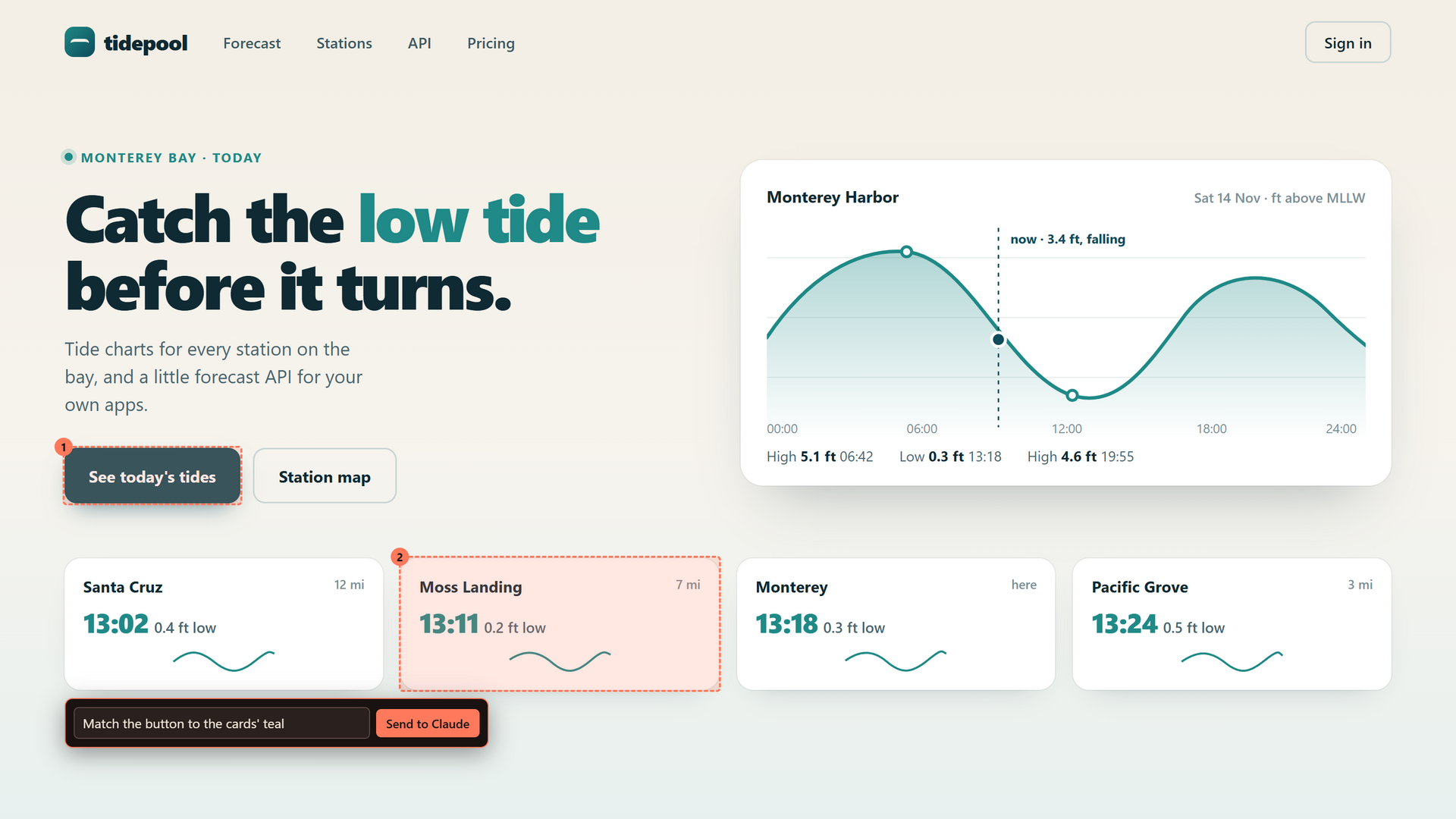
The card has a box for what you want, so Claude starts on it straight away instead of asking first.
Shift+click picks up to five, numbered as you go. F2 points again, Esc stops.
The part under the pointer shows its name, and the outline stays on it as the page scrolls.
The window only ever shows your local dev server. Links elsewhere open in your browser.
Describe one (a print queue, a reading list, a board your helper crabs post to) and Claude builds it in a conversation, with a live preview beside the chat. Your pages live on the Pages screen (Ctrl+9) and in Ctrl+K.
It's a draft until you press Save to my pages. Point at part of a draft and it goes to the conversation building it.
Every conversation, routine and terminal running Claude Code can read a page and add to it, so three helpers can tick off one checklist. Each write is signed.
A page runs in a sandbox with no way onto the network or into Shellby, and does only what you let it, in plain words, before it first runs.
A page keeps its last 20 versions. When one breaks, Fix it with Claude hands over the error, or go back to the last one that worked.
With Sync between PCs on, pages travel through your private gist, and a page that arrives stays off until you've looked at it.
The phone app has a Pages tab, with data live from your PC. Every call a page makes is checked on the PC.
Your to-dos, its GitHub issues and milestones, and the TODOs in its code, ranked. Do this opens a conversation in a copy on its own branch, prompt waiting.
Hands Claude the failing step's log from a red pull request, trimmed, capped and with secrets blanked out.
Quotes the review comments still open, so Claude starts from what reviewers asked for.
New production errors, each with Fix this error: a copy and a conversation with the stack trace.
Say what broke and pick the last version that worked. Claude bisects it.
A tour of any repo: install, run, test, the map of its folders and one real path through the code.
Claude checks the README and docs against the code and reports what's out of date. It changes nothing.
Issues from your tracker, with Do this on each, on a branch named for it.
Push the copy's branch and open a draft that closes the issue.
He works out how long you spend on each project from what he already sees, for timesheets and invoices. Off until you turn it on.
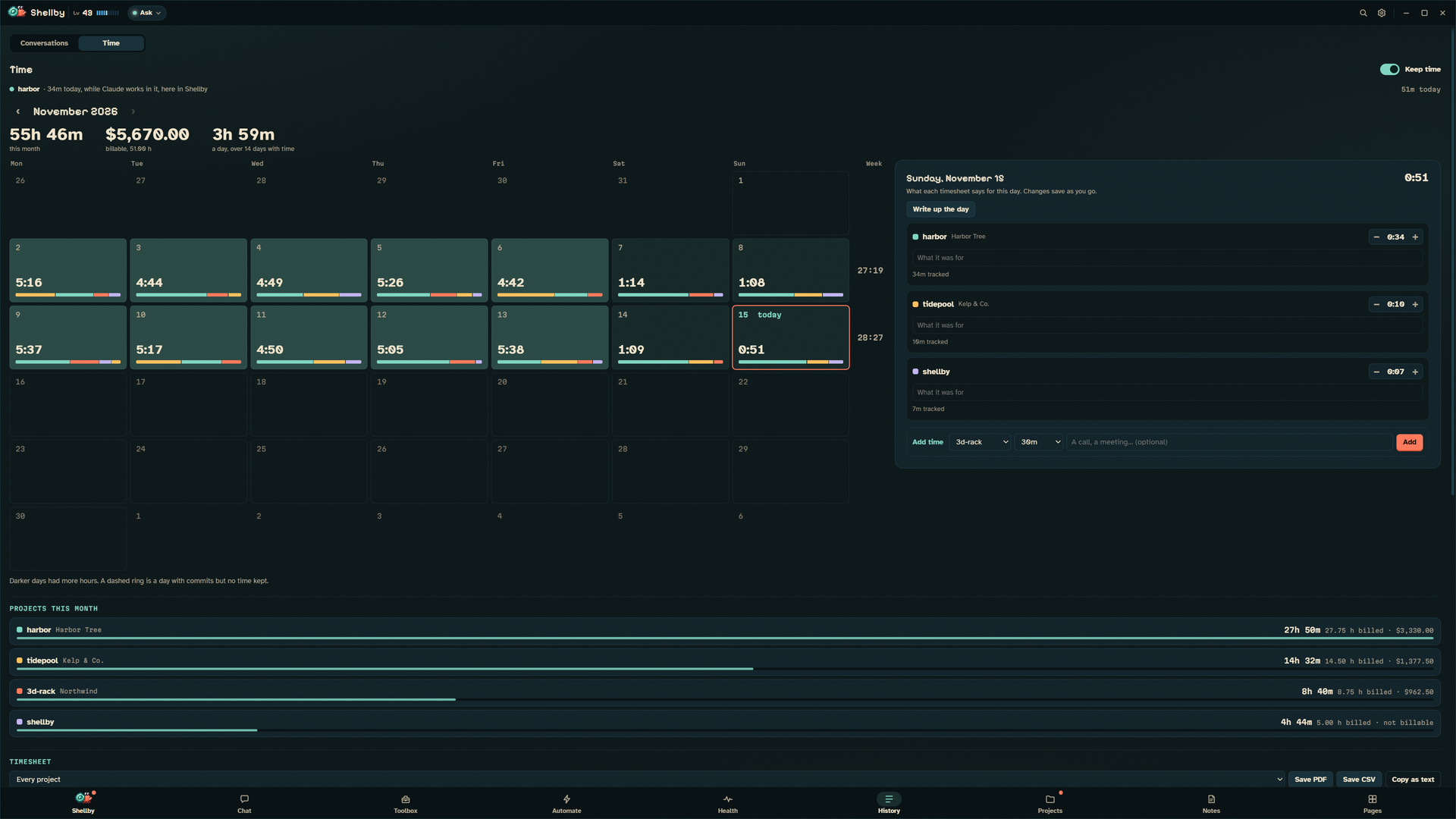
Each day shows its hours and gets darker the longer you worked, with a total for each week and the month's hours, billable amount and usual day at the top.
Pick a day and press Write up the day: a line per project in plain words, from your commits and what you asked Claude. It stays a draft until you press Keep.
The day laid out hour by hour. Pick a sentence and what it came from lights up, so you can check a line before it goes to a client.
A client and an hourly rate per project. Fix a day with + and − for 15 minutes, or keep the time its commits suggest.
With a local model set up, the write-up happens there and nothing leaves the PC. It never sees your code or files.
Start a 15, 25 or 50 minute focus session right from here.
Save PDF for a client, Save CSV for your invoicing tool, or Copy as text.
A day at a time to Toggl Track, Clockify or Harvest.
Add a meeting or take off a break on any day, with a note for the invoice.
Your hours stay on this PC unless you switch on Sync my hours between PCs, and reach a tracker only on the days you send.
A test that fails then passes with the code unchanged. Twice in a week and he says so. Reads Jest, Vitest, pytest, Go, Rust, Playwright and more.
Claude finds the cause (timing, shared state, order, clock) and fixes that rather than adding retries, then runs it 20 times.
Weekly outdated and vulnerability checks. Bump & open a PR bumps what's safe, runs the tests and opens the pull request.
Checks for unpushed commits, uncommitted changes, stashes and anything that looks like a secret before you lock up.
A shutdown with unpushed work or Claude mid-task is held up with the reason.
A streak for consecutive days, and a nudge when a repo goes quiet: "You haven't committed to 3d-rack in 5 days 🐚".
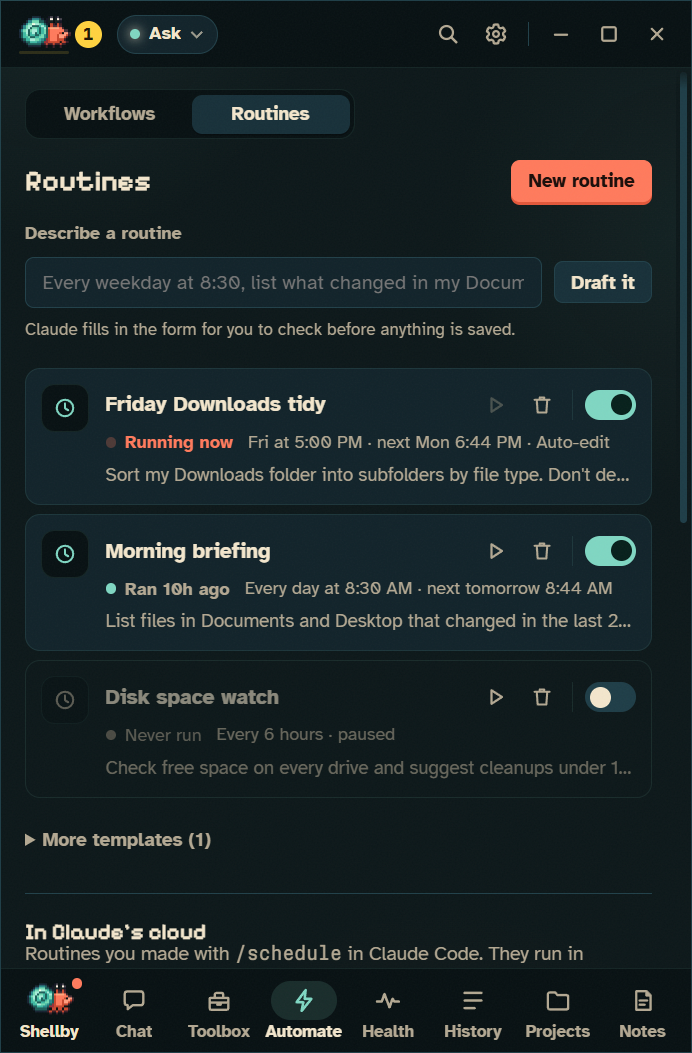
A routine is one task on a schedule, like "every Friday at 5, tidy Downloads". Each run opens its own tab with its own permission mode, and missed runs catch up when your PC wakes.
Say what you want in a sentence and Claude fills in the form for you to check and save.
Each routine shows when it runs next, what it did last, and a switch to pause it.
Start from a ready-made one, like a disk space watch.
Your cloud routines, made with /schedule in Claude Code, are listed here too.
A schedule, a red build, a release, a file landing in a folder or Claude Code asking can start a workflow: a list of steps with Claude, PowerShell commands, web requests, files, a question for you and a message to your phone.
Queue heavy tasks and they start when your window resets, overnight too, with the PC kept awake. A task that runs out partway carries on after the next reset.
Describe a workflow in a sentence; Claude lays it out on the map. Fix with Claude repairs a failed run.
Tick the servers a step may use and Claude files the Linear issue or posts to Slack without stopping to ask.
API keys stay in Secrets, encrypted by Windows, and are never allowed in a prompt.
Routines and workflows stop before they use the share of your window you keep for yourself (25% unless you change it).
Give a workflow the From a script trigger and it gets its own address on Shellby's local port, with a token of its own: any script or service on this PC can start it, and what it sends fills the workflow's inputs. Web pages can't reach it. A workflow can call any web request back, so pair it with n8n for everything Shellby doesn't do itself.
# start a workflow from any script on this PC
> Invoke-RestMethod -Method Post -Uri http://127.0.0.1:47913/v1/flow `
  -Headers @{ 'X-Shellby' = '1' } -ContentType 'application/json' `
  -Body '{"hook":"<its token>","data":{"version":"1.2.0"}}'
# or by name, from the terminal
> shellby flow run "Release notes" version=1.2.0
Free for Windows 10 and 11. Bring your Claude Pro or Max plan, or just keep him for company.